Draft: Keep scroll position steady on input change#13
Conversation


|
If you want to test this build and provide feedback, there is a build available here |

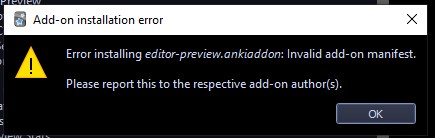
I removed the previously installed Editor Live Preview addon and tried again with |
|
There is 3 state (and i don't know if all are feasible):
I guess the second stated is more feasible but it will be great if there is a toggle between the second and third state in the config options. the third state is the actual LIVE preview: supposing you put the preview pane side by side with the edit/add window(left or right), whenever you click on any line in the text and start typing, if the corresponding line in the preview pane adjusts its horizontal level to that line you are typing in, you won't have any frustration noticing changes. |
Should work now. Use the -external file. Currently, there are still some artifacts from the reloading where the preview pane blinks on update. Please also be aware that the debug builds will not update automatically when a new release on ankiweb is published.
Currently, I don't know how I would implement this and don't intend on doing so. |
it jumps to the top again! also disabled all other addons to make sure that this jump is not caused by them No matter whether using the lock icon or config options, it does not work and it jumps again. |
|
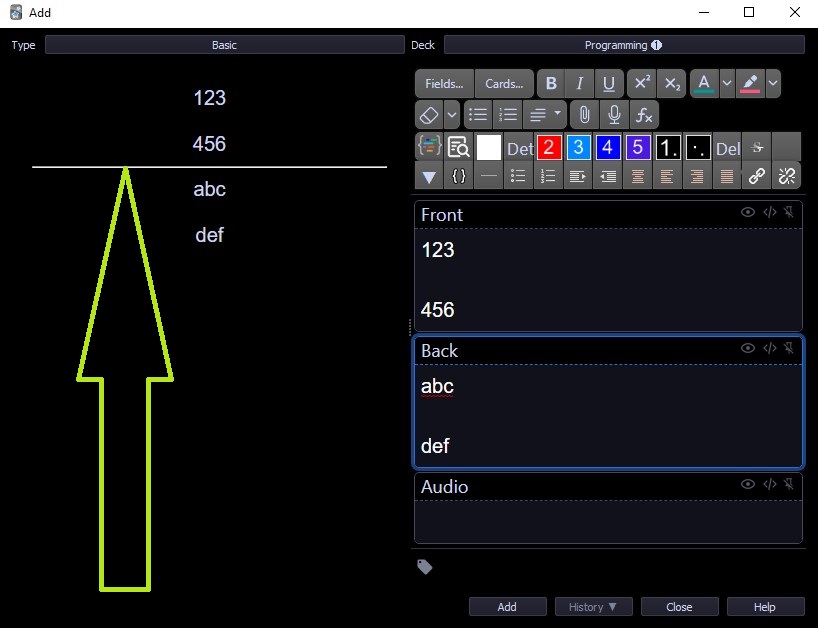
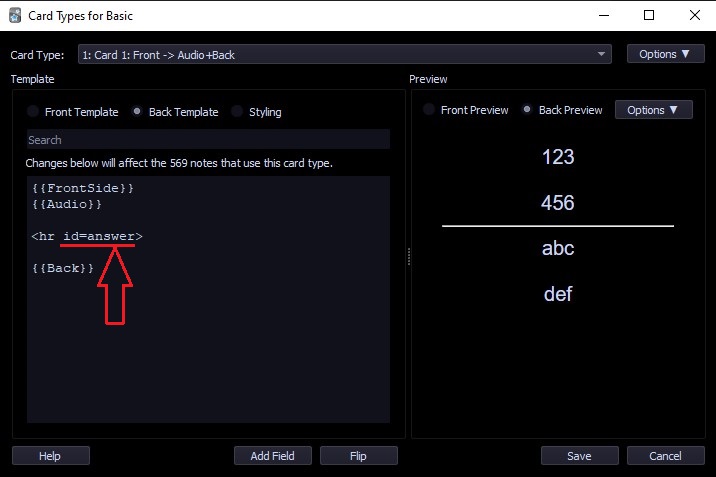
today I noticed that the cursor does not jump UP! It actually jumps to the horizontal line (between front field and back field) If I delete just
|
|
The funny thing is, for me it always did that and on the current build it explicitly doesn't do this but holds the current scroll position. (Also it doesn't scroll downward when I continue writing more text) I suspect that there is some javascript in the anki client that scrolls to the id=answer field and clashes with the javascript I am injecting to keep the scroll position. In another run I had fighting between those 2 postions ... That needs some further investigation in the anki code. |
2 participants


This will add a config option as well as a button in the GUI to disable the automatic scrolling to the top on change.
Currently work in progress. This code really needs a refactoring.
This feature was requested by @Hosseingsd in the discussions for #12.