Dynamic configuration for Next.js applications with SSR support.



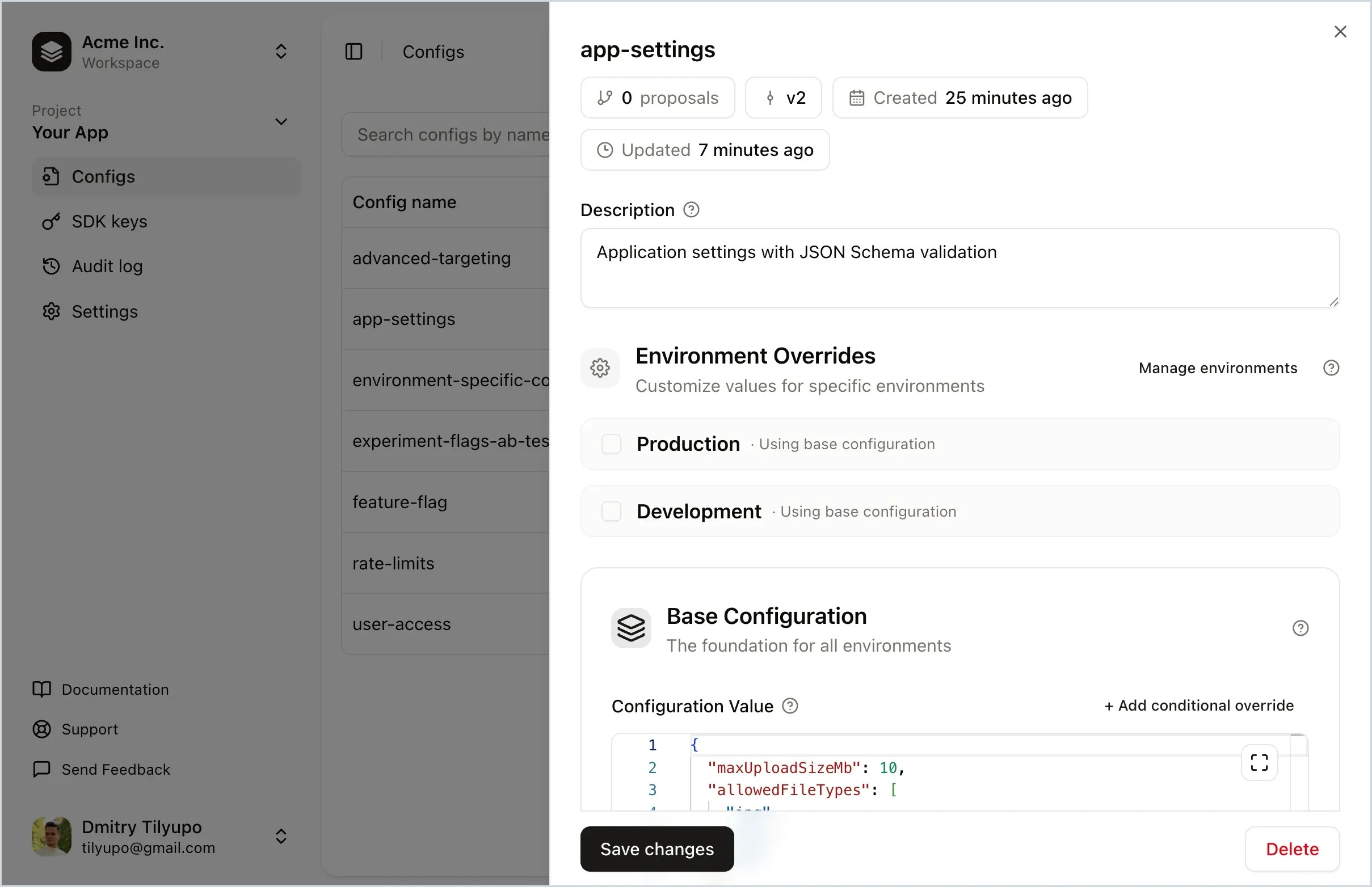
Replane is a dynamic configuration manager that lets you tweak your software without running scripts or building your own admin panel. Store feature flags, rate limits, UI text, log level, rollout percentage, and more. Delegate editing to teammates and share config across services. No redeploys needed.
- Feature flags – toggle features, run A/B tests, roll out to user segments
- Operational tuning – adjust limits, TTLs, and timeouts without redeploying
- Per-environment settings – different values for production, staging, dev
- Incident response – instantly revert to a known-good version
- Cross-service configuration – share settings with realtime sync
- Non-engineer access – safe editing with schema validation
npm install @replanejs/next
# or
pnpm add @replanejs/next1. Set up ReplaneRoot in your layout:
// app/layout.tsx
import { ReplaneRoot } from "@replanejs/next";

interface AppConfigs {
  theme: { darkMode: boolean; primaryColor: string };
  features: { betaEnabled: boolean };
}

export default async function RootLayout({ children }: { children: React.ReactNode }) {
  return (
    <html lang="en">
      <body>
        <ReplaneRoot<AppConfigs>
          connection={{
            baseUrl: process.env.NEXT_PUBLIC_REPLANE_BASE_URL!,
            sdkKey: process.env.NEXT_PUBLIC_REPLANE_SDK_KEY!,
          }}
        >
          {children}
        </ReplaneRoot>
      </body>
    </html>
  );
}
2. Use configs in client components:
// components/ThemeToggle.tsx
"use client";

import { useConfig } from "@replanejs/next";

export function ThemeToggle() {
  const theme = useConfig<{ darkMode: boolean }>("theme");
  return <div>{theme.darkMode ? "Dark Mode" : "Light Mode"}</div>;
}1. Set up ReplaneProvider in _app.tsx:
// pages/_app.tsx
import type { AppContext, AppProps } from "next/app";
import App from "next/app";
import { ReplaneProvider, getReplaneSnapshot, type ReplaneSnapshot } from "@replanejs/next";

interface AppConfigs {
  theme: { darkMode: boolean; primaryColor: string };
  features: { betaEnabled: boolean };
}

interface AppPropsWithReplane extends AppProps {
  replaneSnapshot: ReplaneSnapshot<AppConfigs>;
}

export default function MyApp({ Component, pageProps, replaneSnapshot }: AppPropsWithReplane) {
  return (
    <ReplaneProvider
      snapshot={replaneSnapshot}
      connection={{
        baseUrl: process.env.NEXT_PUBLIC_REPLANE_BASE_URL!,
        sdkKey: process.env.NEXT_PUBLIC_REPLANE_SDK_KEY!,
      }}
    >
      <Component {...pageProps} />
    </ReplaneProvider>
  );
}

// Fetch Replane snapshot for all pages
MyApp.getInitialProps = async (appContext: AppContext) => {
  const appProps = await App.getInitialProps(appContext);

  const replaneSnapshot = await getReplaneSnapshot<AppConfigs>({
    connection: {
      baseUrl: process.env.REPLANE_BASE_URL!,
      sdkKey: process.env.REPLANE_SDK_KEY!,
    },
  });

  return { ...appProps, replaneSnapshot };
};
2. Use configs in any component:
// components/FeatureFlag.tsx
import { useConfig } from "@replanejs/next";

export function FeatureFlag() {
  const features = useConfig<{ betaEnabled: boolean }>("features");
  return features.betaEnabled ? <BetaFeature /> : null;
}For better type safety and autocomplete, create typed hooks for your application:
1. Define your config types:
// replane/types.ts
export interface AppConfigs {
  theme: {
    darkMode: boolean;
    primaryColor: string;
  };
  features: {
    betaEnabled: boolean;
    maxItems: number;
  };
}
2. Create typed hooks:
// replane/hooks.ts
import { createConfigHook, createReplaneHook } from "@replanejs/next";
import type { AppConfigs } from "./types";

// Typed hook for accessing individual configs
export const useAppConfig = createConfigHook<AppConfigs>();

// Typed hook for accessing the Replane client
export const useAppReplane = createReplaneHook<AppConfigs>();
3. Use in components:
// components/ConfigDisplay.tsx
"use client";

import { useAppConfig, useAppReplane } from "@/replane/hooks";

export function ConfigDisplay() {
  // Config names autocomplete, values are fully typed
  const theme = useAppConfig("theme");
  // theme.darkMode is boolean, theme.primaryColor is string

  // Or use the client directly for more control
  const replane = useAppReplane();
  const snapshot = replane.getSnapshot();

  return <div style={{ color: theme.primaryColor }}>...</div>;
}| Prop | Type | Required | Description |
|---|---|---|---|
connection |
ConnectOptions |
No | Connection options (see below) |
defaults |
Record<string, unknown> |
No | Default values if server is unavailable |
context |
Record<string, unknown> |
No | Default context for override evaluations |
snapshot |
ReplaneSnapshot |
No | Snapshot for SSR hydration |
logger |
ReplaneLogger |
No | Custom logger (default: console) |
The connection prop accepts the following options:
| Option | Type | Required | Description |
|---|---|---|---|
baseUrl |
string |
Yes | Replane server URL |
sdkKey |
string |
Yes | SDK key for authentication |
connectTimeoutMs |
number |
No | SDK connection timeout (default: 5000) |
requestTimeoutMs |
number |
No | Timeout for SSE requests (default: 2000) |
retryDelayMs |
number |
No | Base delay between retries (default: 200) |
inactivityTimeoutMs |
number |
No | SSE inactivity timeout (default: 30000) |
fetchFn |
typeof fetch |
No | Custom fetch implementation |
See @replanejs/sdk documentation for more details.
Server component for App Router that fetches configs and provides them to the app.
<ReplaneRoot<AppConfigs>
  connection={{
    baseUrl: string;
    sdkKey: string;
  }}
>
  {children}
</ReplaneRoot>Client-side provider for Pages Router or custom setups.
<ReplaneProvider
  snapshot={replaneSnapshot}
  connection={{
    baseUrl: string;
    sdkKey: string;
  }}
>
  {children}
</ReplaneProvider>Returns the value of a config by name. Re-renders when the config changes.
const theme = useConfig<{ darkMode: boolean }>("theme");Returns the Replane client instance for advanced usage.
const client = useReplane<AppConfigs>();
const snapshot = client.getSnapshot();
const theme = client.get("theme");Creates a typed version of useConfig for your config schema.
const useAppConfig = createConfigHook<AppConfigs>();
const theme = useAppConfig("theme"); // fully typedCreates a typed version of useReplane for your config schema.
const useAppReplane = createReplaneHook<AppConfigs>();
const client = useAppReplane(); // client.get("theme") is typedFetches a snapshot of all configs. Use in getServerSideProps, getStaticProps, or getInitialProps.
const snapshot = await getReplaneSnapshot<AppConfigs>({
  connection: {
    baseUrl: process.env.REPLANE_BASE_URL!,
    sdkKey: process.env.REPLANE_SDK_KEY!,
  },
  // by default, getReplaneSnapshot will reuse the created client for 60 seconds for fast subsequent calls, the client will be syncing with the server in the background during this time
  keepAliveMs: 60_000,
});See the examples directory for complete working examples:
- next-app-router - App Router with ReplaneRoot
- next-pages-router - Pages Router with getInitialProps
Have questions or want to discuss Replane? Join the conversation in GitHub Discussions.
MIT