Dynamic configuration for Svelte and SvelteKit applications.



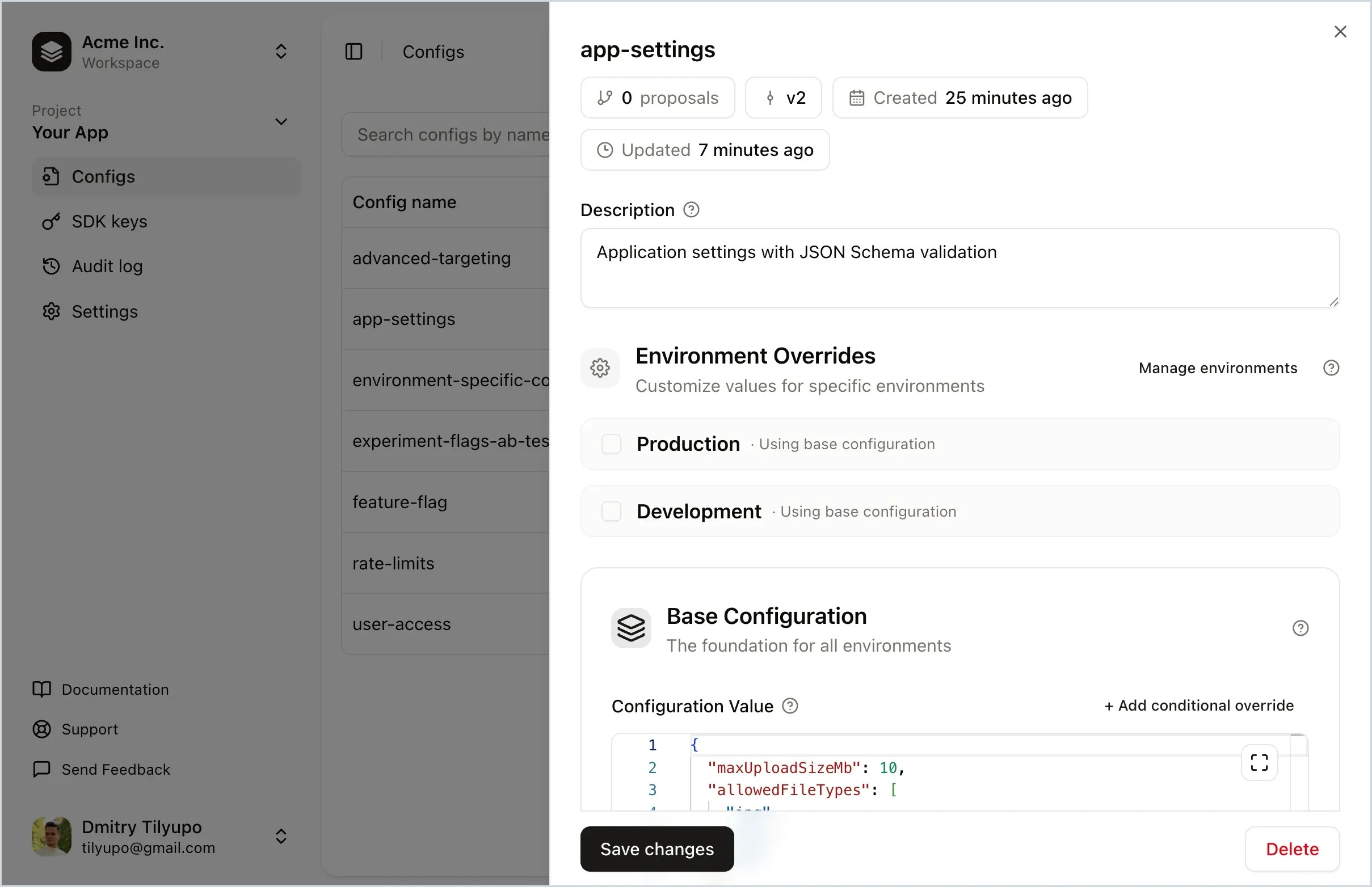
Replane is a dynamic configuration manager that lets you tweak your software without running scripts or building your own admin panel. Store feature flags, rate limits, UI text, log level, rollout percentage, and more. Delegate editing to teammates and share config across services. No redeploys needed.
- Feature flags – toggle features, run A/B tests, roll out to user segments
- Operational tuning – adjust limits, TTLs, and timeouts without redeploying
- Per-environment settings – different values for production, staging, dev
- Incident response – instantly revert to a known-good version
- Cross-service configuration – share settings with realtime sync
- Non-engineer access – safe editing with schema validation
npm install @replanejs/svelte<script>
import { ReplaneContext, config } from '@replanejs/svelte';
import { Replane } from '@replanejs/svelte';
const replane = new Replane();
await replane.connect({
baseUrl: 'https://replane.example.com',
sdkKey: 'your-sdk-key',
});
</script>
<ReplaneContext client={replane}>
<MyComponent />
</ReplaneContext><!-- MyComponent.svelte -->
<script>
import { config } from '@replanejs/svelte';
const feature = config<boolean>('feature-flag-name');
</script>
{#if $feature}
<p>Feature is enabled!</p>
{:else}
<p>Feature is disabled</p>
{/if}| Prop | Type | Required | Description |
|---|---|---|---|
connection |
ConnectOptions | null |
Yes | Connection options (see below), or null to skip connection |
defaults |
Record<string, unknown> |
No | Default values if server is unavailable |
context |
Record<string, unknown> |
No | Default context for override evaluations |
snapshot |
ReplaneSnapshot |
No | Snapshot for SSR hydration |
logger |
ReplaneLogger |
No | Custom logger (default: console) |
loader |
Snippet |
No | Snippet to show while loading |
async |
boolean |
No | Connect asynchronously (renders immediately with defaults) |
The connection prop accepts the following options:
| Option | Type | Required | Description |
|---|---|---|---|
baseUrl |
string |
Yes | Replane server URL |
sdkKey |
string |
Yes | SDK key for authentication |
connectTimeoutMs |
number |
No | SDK connection timeout (default: 5000) |
requestTimeoutMs |
number |
No | Timeout for SSE requests (default: 2000) |
retryDelayMs |
number |
No | Base delay between retries (default: 200) |
inactivityTimeoutMs |
number |
No | SSE inactivity timeout (default: 30000) |
fetchFn |
typeof fetch |
No | Custom fetch implementation |
See @replanejs/sdk documentation for more details.
Create a reactive store for a specific config value. Similar to readable() or derived().
<script>
  import { config } from '@replanejs/svelte';

  // Returns a Svelte readable store
  const featureEnabled = config<boolean>('featureEnabled');

  // With evaluation context
  const greeting = config<string>('greeting', {
    context: { userId: '123', isPremium: true }
  });
</script>

{#if $featureEnabled}
  <p>{$greeting}</p>
{/if}Get direct access to the Replane client from context.
<script>
  import { getReplane } from '@replanejs/svelte';

  const replane = getReplane();

  function handleClick() {
    const value = replane.get('some-config');
    console.log(value);
  }
</script>

<button onclick={handleClick}>Get Config</button>Create a reactive store from a client directly (without context). Type-safe with full autocomplete for config names.
<script>
  import { configFrom } from '@replanejs/svelte';
  import { replane } from './replane-client';

  // Config name is validated against TConfigs, return type is inferred
  const featureEnabled = configFrom(replane, 'featureEnabled');
</script>

{#if $featureEnabled}
  <p>Feature is enabled!</p>
{/if}Context component that makes the Replane client available to your component tree.
Can be used in several ways:
1. With a pre-created client:
<script>
  import { ReplaneContext, Replane } from '@replanejs/svelte';

  const replane = new Replane();
  await replane.connect({
    baseUrl: 'https://replane.example.com',
    sdkKey: 'your-sdk-key',
  });
</script>

<ReplaneContext client={replane}>
  <App />
</ReplaneContext>
2. With connection (client managed internally):
<script>
  import { ReplaneContext } from '@replanejs/svelte';

  const connection = {
    baseUrl: 'https://your-replane-server.com',
    sdkKey: 'your-sdk-key',
  };
</script>

<svelte:boundary onerror={(e) => console.error(e)}>
  <ReplaneContext {connection}>
    <App />

    {#snippet loader()}
      <p>Loading...</p>
    {/snippet}
  </ReplaneContext>

  {#snippet failed(error)}
    <p>Error: {error.message}</p>
  {/snippet}
</svelte:boundary>
3. With async mode:
Connect in the background while rendering immediately with defaults:
<script>
  import { ReplaneContext } from '@replanejs/svelte';

  const connection = {
    baseUrl: 'https://your-replane-server.com',
    sdkKey: 'your-sdk-key',
  };

  const defaults = {
    featureEnabled: false,
  };
</script>

<ReplaneContext {connection} {defaults} async>
  <App />
</ReplaneContext>
4. With a snapshot (for SSR/hydration):
<script>
  import { ReplaneContext } from '@replanejs/svelte';

  let { data, children } = $props();

  const connection = {
    baseUrl: import.meta.env.VITE_REPLANE_BASE_URL,
    sdkKey: import.meta.env.VITE_REPLANE_SDK_KEY,
  };
</script>

<ReplaneContext {connection} snapshot={data.replaneSnapshot}>
  {@render children()}
</ReplaneContext>For better type safety, create typed versions of the store functions:
// $lib/replane/index.ts
import { createTypedConfig, createTypedReplane } from "@replanejs/svelte";

interface AppConfigs {
  theme: { darkMode: boolean; primaryColor: string };
  features: { betaEnabled: boolean };
}

export const appConfig = createTypedConfig<AppConfigs>();
export const getAppReplane = createTypedReplane<AppConfigs>();<script lang="ts">
import { appConfig, getAppReplane } from '$lib/replane';
// Config names autocomplete, values are fully typed
const theme = appConfig("theme");
// $theme is { darkMode: boolean; primaryColor: string }
// Direct client access
const replane = getAppReplane();
const features = replane.get("features"); // fully typed
</script>
<div style:color={$theme.primaryColor}>
{$theme.darkMode ? "Dark" : "Light"}
</div>For server-side rendering, fetch configs on the server and restore on the client:
// src/routes/+layout.server.ts
import { getReplaneSnapshot } from "@replanejs/svelte";

export async function load() {
  const snapshot = await getReplaneSnapshot({
    connection: {
      baseUrl: import.meta.env.REPLANE_BASE_URL,
      sdkKey: import.meta.env.REPLANE_SDK_KEY,
    },
  });

  return { replaneSnapshot: snapshot };
}
<!-- src/routes/+layout.svelte -->
<script lang="ts">
import { ReplaneContext } from '@replanejs/svelte';
let { data, children } = $props();
const connection = {
baseUrl: import.meta.env.VITE_REPLANE_BASE_URL,
sdkKey: import.meta.env.VITE_REPLANE_SDK_KEY,
};
</script>
<ReplaneContext {connection} snapshot={data.replaneSnapshot}>
{@render children()}
</ReplaneContext>All stores automatically subscribe to realtime updates via SSE. When a config changes on the server, the store updates automatically.
<script>
  import { config } from '@replanejs/svelte';

  const maintenanceMode = config<boolean>('maintenance-mode');
</script>

{#if $maintenanceMode}
  <MaintenanceBanner />
{/if}Have questions or want to discuss Replane? Join the conversation in GitHub Discussions.
MIT