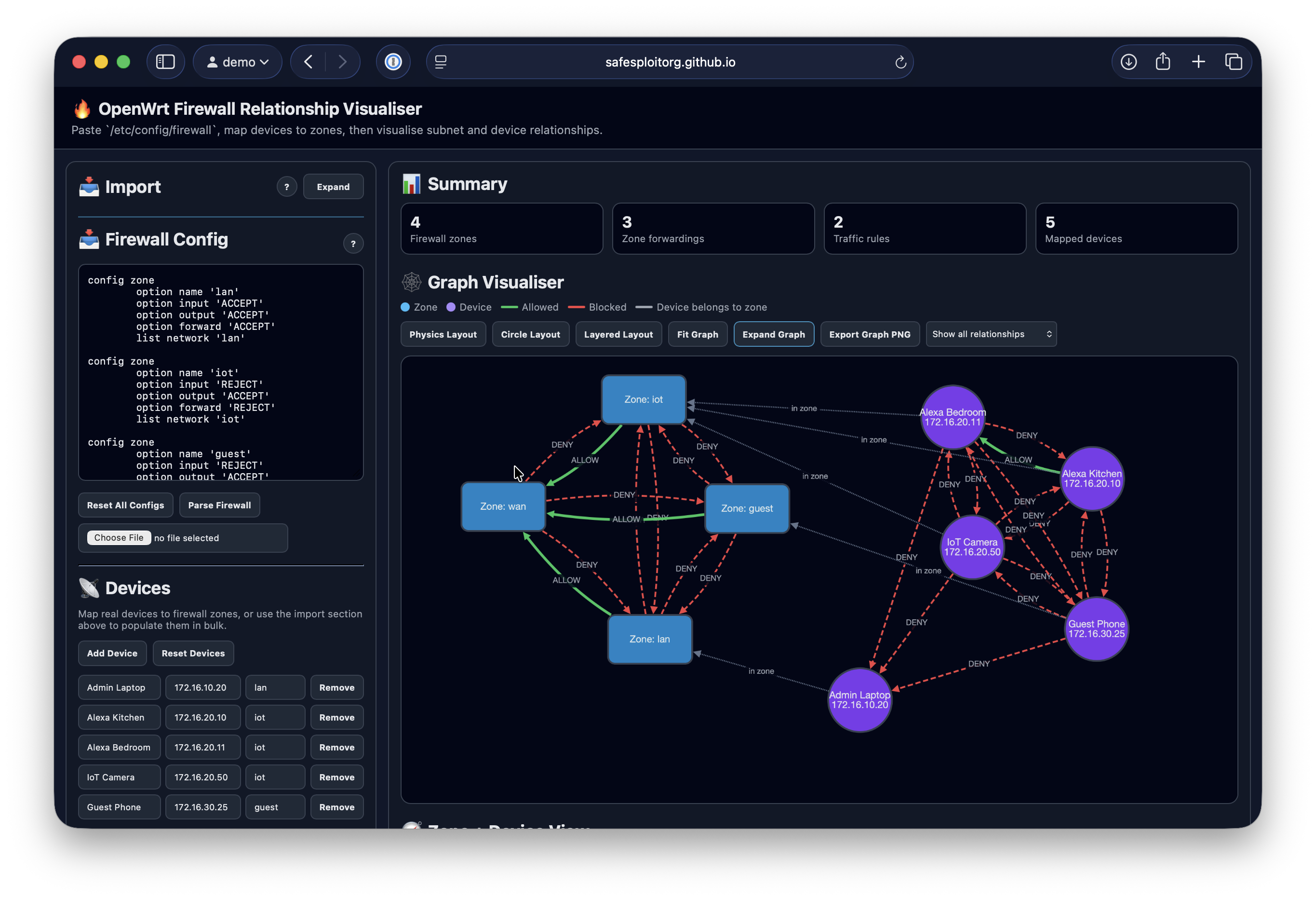
A single-page browser application for visualising /etc/config/firewall relationships. Paste or upload an OpenWrt firewall configuration, map devices to zones, and visually inspect zone-to-zone and device-to-device connectivity.
- No Backend Required — All parsing and analysis happens in your browser; no server, database, or build step needed
- Local-First Privacy — Firewall configs and device mappings stay on your computer and are saved to
localStorage - Visual Relationship Mapping — Interactive Cytoscape.js graph showing zone and device connectivity
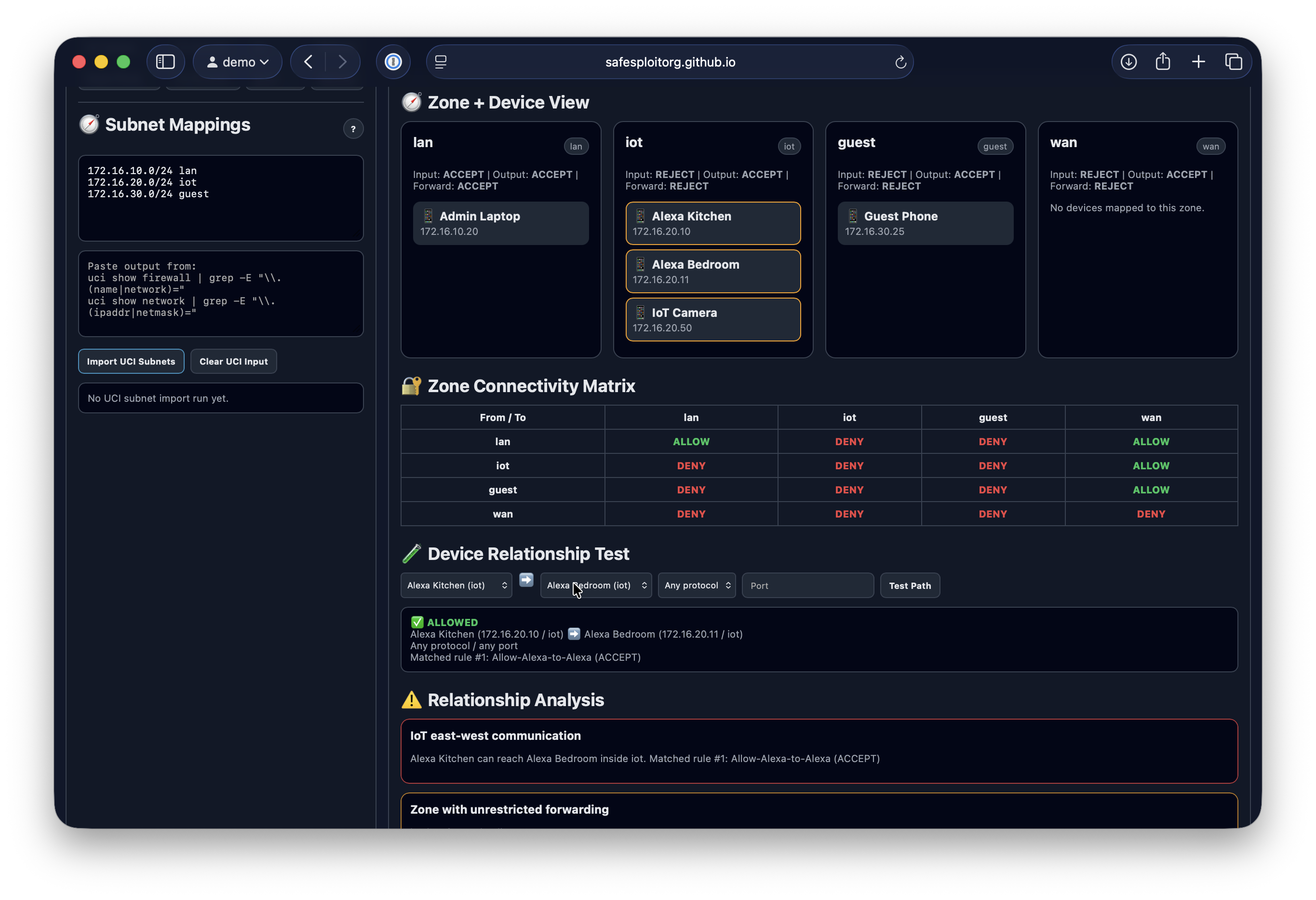
- Zone Analysis — View zone policies, forwardings, rules, and connectivity matrix
- Device Path Testing — Test specific source-to-destination reachability with optional protocol and port filters
- Bulk Host Import — Import devices from host lists, ARP tables, DHCP leases, or
CSV export - Session Export/Import — Save and restore complete analysis sessions as JSON
- Multiple Graph Layouts — Force-directed, circular, and breadth-first layouts
- Relationship Filtering — Show all paths, allowed only, blocked only, zone-only, or device-only relationships
- Open the app: Open
public/index.htmlin any modern browser, or link - Paste your firewall config: Copy
/etc/config/firewallfrom your OpenWrt router and paste it into the textarea - Map devices to zones: Add devices with names, IP addresses, and their associated firewall zones (via import or manually)
- Map subnets: Add subnets mappings (import via
scripts/openwrt_export_subnet_mappings.sh) - Visualise relationships: The graph renders automatically showing zones, devices, and their connectivity
On your OpenWrt router:
cat /etc/config/firewallOr copy it remotely:
scp root@<router-ip>:/etc/config/firewall ./firewall.confUse the Import section to bulk-load devices from:
- Host lists — Plain text format:
IP Hostname zone - Neighbour/ARP tables — Output from
ip neighbourorarp -a - DHCP leases — Output from
/tmp/dhcp.leases - OpenWrt export CSV — Generated by the included script
The scripts/openwrt_export_hosts.sh script generates a CSV of all known hosts:
scp scripts/openwrt_export_hosts.sh root@<router-ip>:/tmp/
ssh root@<router-ip>
sh /tmp/openwrt_export_hosts.sh
Output format: ip,hostname,zone,mac
The scripts/openwrt_export_subnet_mappings.sh script generates UCI outputs which can be pasted into Subnet Mappings and Import UCI Subnets
| Component | Technology |
|---|---|
| Markup | HTML5 with semantic structure |
| Styling | Custom CSS with dark theme and CSS variables |
| Logic | Vanilla JavaScript (no frameworks or build tools) |
| Graph Rendering | Cytoscape.js v3.30.4 (loaded from CDN) |
| Deployment | Static files in public/ directory |
The app has no build step. Unit tests use Node's built-in test runner:
npm testGitHub Actions runs the same test command before deploying GitHub Pages.
- Simplified firewall model — Does not simulate every fw3/fw4, nftables, iptables, NAT, conntrack, or bridge behavior
- Manual device mapping — Device context depends on user input (not auto-inferred)
- Parser scope — Does not process include files, generated fragments, or complex quoting
- Limited protocol/port matching — Handles common patterns but not all OpenWrt match expressions
- Per-browser storage —
localStorageis browser/profile-specific; export sessions to share
✅ No backend — All data stays in your browser
✅ No external requests — Cytoscape is run locally is for graph rendering
✅ Safe parsing — User-controlled strings are escaped before HTML insertion
✅ Static files — Can be hosted on any static web server with no special permissions
✅ Local persistence — Uses browser localStorage only
For bugs, feature requests, or improvements, see ARCHITECTURE.md for technical details about the codebase structure.
See repository for license details.