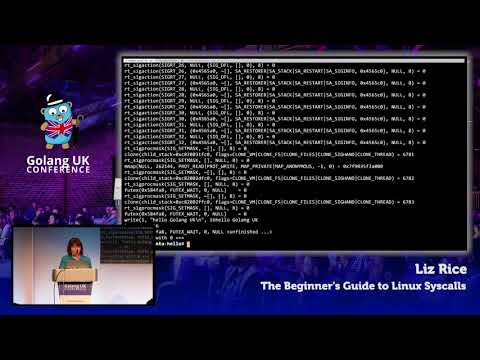
Every user space process at some point interacts with the operating system/kernel, in so called system calls (syscalls). It can do so directly, or indirectly using library modules which offer a higher level functionality and interface.
Our example is a Hello World program written in go:
package main

import (
	"fmt"
)

func main() {
	fmt.Println("Hello World")
}
Let us build our executable and trace all syscalls:
# go build helloworld.go

# strace -c ./helloworld
Hello World
% time     seconds  usecs/call     calls    errors syscall
------ ----------- ----------- --------- --------- ----------------
  0.00    0.000000           0         1           write
  0.00    0.000000           0         8           mmap
  0.00    0.000000           0         1           munmap
  0.00    0.000000           0       114           rt_sigaction
  0.00    0.000000           0         8           rt_sigprocmask
  0.00    0.000000           0         3           clone
  0.00    0.000000           0         1           execve
  0.00    0.000000           0         2           sigaltstack
  0.00    0.000000           0         1           arch_prctl
  0.00    0.000000           0         1           gettid
  0.00    0.000000           0         5           futex
  0.00    0.000000           0         1           sched_getaffinity
  0.00    0.000000           0         1           readlinkat
------ ----------- ----------- --------- --------- ----------------
100.00    0.000000                   147           total
As you can see, there are a number of syscalls. If you trace this program with a debugger, you will find that the Println() function to stdout at some point is translated to n, err := syscall.Write(fd.Sysfd, p[nn:max]) and then to r0, _, e1 := Syscall(SYS_WRITE, uintptr(fd), uintptr(_p0), uintptr(len(p))); it is the write call in row 1. There are around 340 syscalls in the Linux kernel, see https://syscalls.kernelgrok.com/.
The fast thinker in you is already getting ahead and asking:
- can we profile an executable and only allow needed syscalls?
- can we set a "trip wire" around an executable and trigger an alert if a syscall is made that is not required?
- or kill the process immediately? As this could be an intrusion ...
- and many more runtime security type of ideas ...
First, check if seccomp is enabled with docker:
# docker info
...
Security Options:
 apparmor
 seccomp
  Profile: default
...

# grep SECCOMP /boot/config-$(uname -r)
CONFIG_HAVE_ARCH_SECCOMP_FILTER=y
CONFIG_SECCOMP_FILTER=y
CONFIG_SECCOMP=y
Well, then let us build a container from a baseline image like centos and do some experiments (we could have just packaged helloworld, but then we would have no fun). The Dockerfile as follows:
FROM centos:7

COPY /helloworld /
CMD ["/helloworld"]
Build the container:
# docker build -f Dockerfile -t 'vasu1124/helloworld:v1.0' .
Sending build context to Docker daemon 3.149 MB
Step 1/4 : FROM centos:7
 ---> 2d194b392dd1
Step 2/4 : LABEL maintainer "vasu1124@actvirtual.com"
 ---> Running in 11e9dc3e1197
 ---> 80b4bc187ad5
Removing intermediate container 11e9dc3e1197
Step 3/4 : COPY /helloworld /
 ---> bca0b8a3ca24
Removing intermediate container 0cbdfe9c6cd1
Step 4/4 : CMD /helloworld
 ---> Running in 04f1e21e38f0
 ---> 863fc5244614
Removing intermediate container 04f1e21e38f0
Successfully built 863fc5244614
We are now making use of the --security-opt facility of docker and we test with various seccomp profiles compiled in JSON format. The following actions are possible:
| Action | Description |
|---|---|
| SCMP_ACT_KILL | Kill with a exit status of 0x80 + 31 (SIGSYS) = 159 |
| SCMP_ACT_TRAP | Send a SIGSYS signal without executing the system call |
| SCMP_ACT_ERRNO | Set errno without executing the system call |
| SCMP_ACT_TRACE | Invoke a ptracer to make a decision or set errno to -ENOSYS |
| SCMP_ACT_ALLOW | Allow |
The first test is with deny.json, helloworld should not execute at all (even execve is not allows):
{
	"defaultAction": "SCMP_ACT_ERRNO",
	"architectures": [
		"SCMP_ARCH_X86_64",
		"SCMP_ARCH_X86",
		"SCMP_ARCH_X32"
	],
	"syscalls": [
	]
}
Verify with:
# docker run -it --rm --security-opt seccomp=seccomp/deny.json --security-opt="no-new-privileges" vasu1124/helloworld:v1.0
The next test is with allow-helloworld.json, a profile which allows only the above traced syscalls. Helloworld runs properly as expected:
# docker run -it --rm --security-opt seccomp=seccomp/allow-helloworld.json --security-opt="no-new-privileges" vasu1124/helloworld:v1.0
Hello World
In the last experiment, we will run with deny-dir.json. This profile generically allows every syscall, except for mkdir and chdir. We will now run the container and pretend that we are an attacker who has gained bash access in the container (notwithstanding the question of why we would package a bash scripting environment with our executable in first place):
# docker run -it --rm --security-opt seccomp=seccomp/deny-dir.json --security-opt=no-new-privileges vasu1124/helloworld:v1.0 /bin/bash
[root@4a94f41e3267 /]# cd home
bash: cd: home: Operation not permitted
[root@4a94f41e3267 /]# mkdir test
mkdir: cannot create directory 'test': Operation not permitted
[root@4a94f41e3267 /]# exit
As expected, the syscalls are not permitted.
- The Beginner's Guide to Linux Syscalls by Liz Rice