Expected behavior
Text colors should display correctly in Reader, regardless of whether custom or predefined colors are used.
Actual behavior
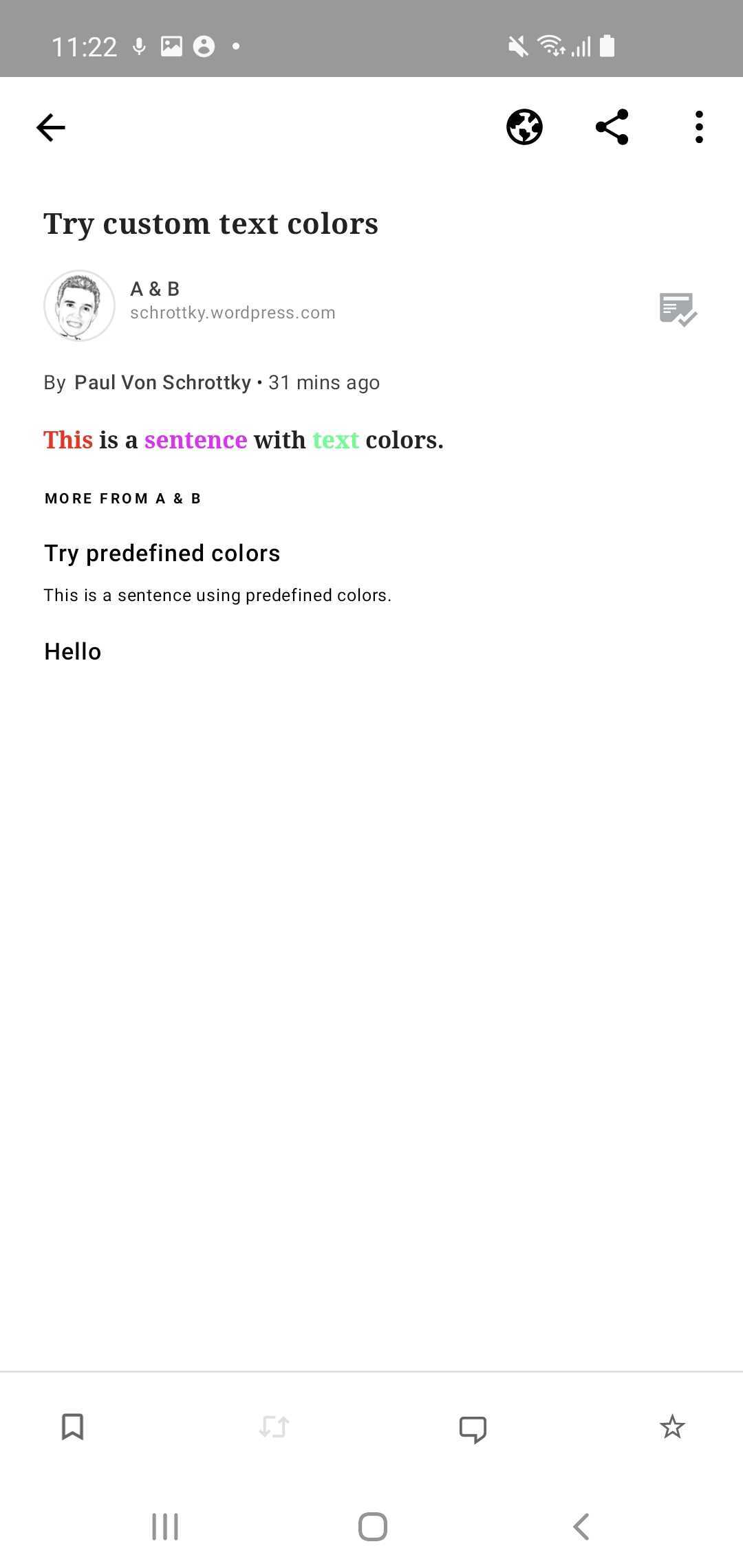
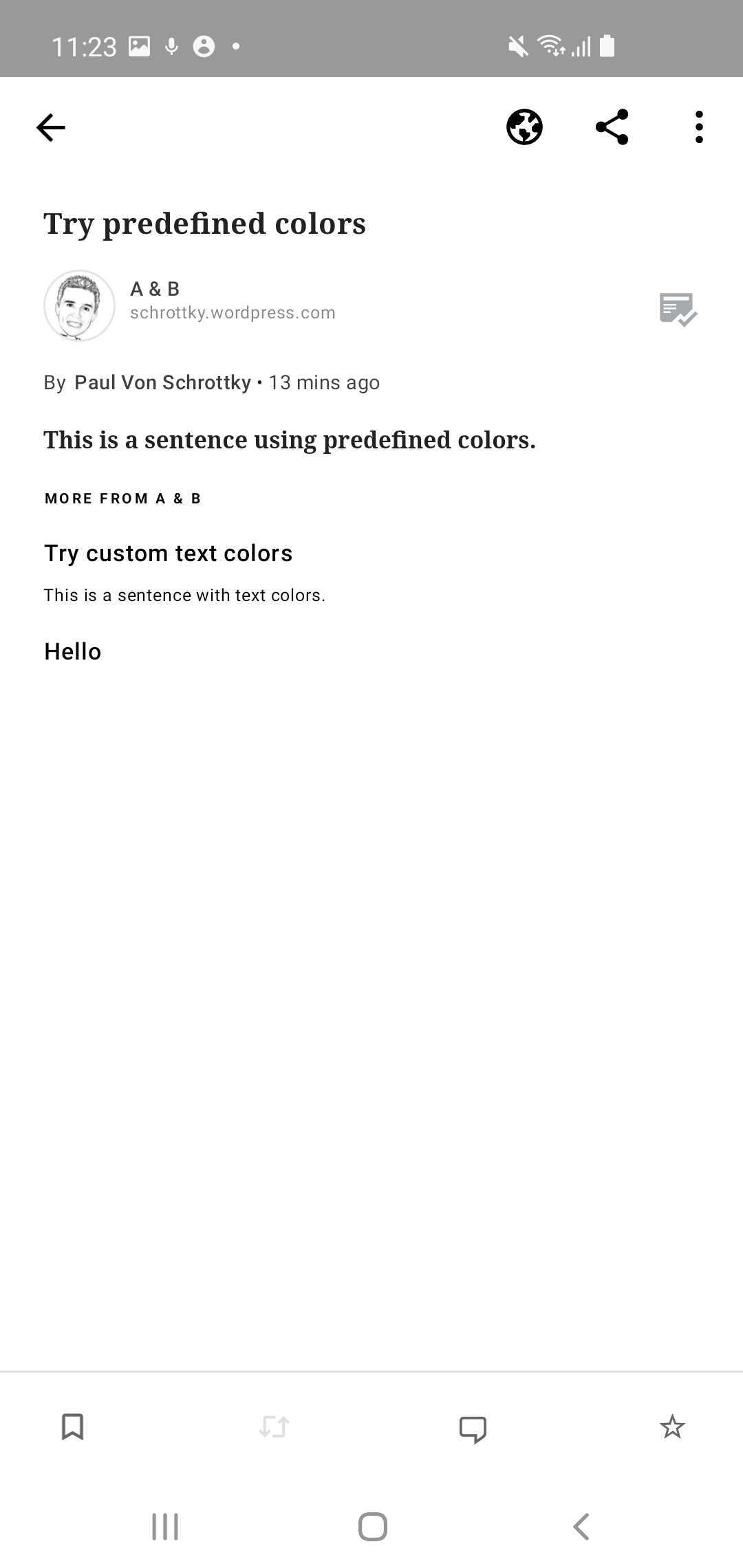
Text colors display correctly in Reader if those text colors were custom colors chosen in the block editor on the web. However, text colors do not display at all if any of the pre-defined colors (that appear in the block editor) are used.
Steps to reproduce the behavior
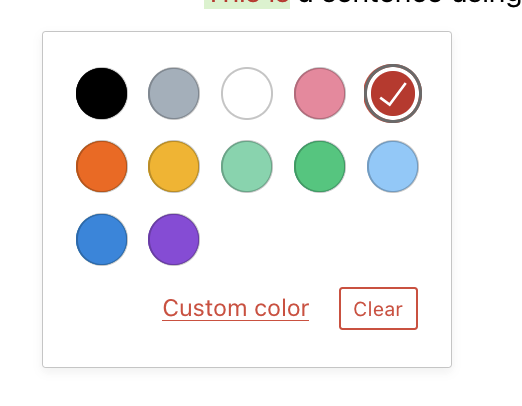
- Open a new post and add colored text (via "Text color" in the floating toolbar) using one of the pre-defined colors:
- Save the post and open it in Reader in WPAndroid
- Notice that the text colors are not displayed.
- Repeat steps 1 and 2, but this time use a custom color (via "Text color" > "Custom color" in the floating toolbar)
- Notice that the text colors are now displayed correctly
The difference between predefined and custom colors is that predefined colors are represented as e.g.:
<span class="has-inline-color has-pale-cyan-blue-color">text here</span>
while custom colors are represented as e.g.:
<span style="color:#ff0004;" class="has-inline-color">text here</span>
It seems like the app doesn't support these "has-pale-cyan-blue-color" HTML classes yet.
| Custom color |
Pre-defined color |
 |
 |
Additional info
Text color is not yet supported on Gutenberg mobile: wordpress-mobile/gutenberg-mobile#1212
Tested on Samsung 10, Android 10, WPAndroid 17.6.1
Expected behavior
Text colors should display correctly in Reader, regardless of whether custom or predefined colors are used.
Actual behavior
Text colors display correctly in Reader if those text colors were custom colors chosen in the block editor on the web. However, text colors do not display at all if any of the pre-defined colors (that appear in the block editor) are used.
Steps to reproduce the behavior
The difference between predefined and custom colors is that predefined colors are represented as e.g.:
while custom colors are represented as e.g.:
It seems like the app doesn't support these "has-pale-cyan-blue-color" HTML classes yet.
Additional info
Text color is not yet supported on Gutenberg mobile: wordpress-mobile/gutenberg-mobile#1212
Tested on Samsung 10, Android 10, WPAndroid 17.6.1