UFACTORY robot arm integration with the LeRobot framework for robot learning, data collection, and policy deployment.
Test datasets used during development, for reference only, do NOT reuse. As the robot arm and camera positions during development differ from user setups.
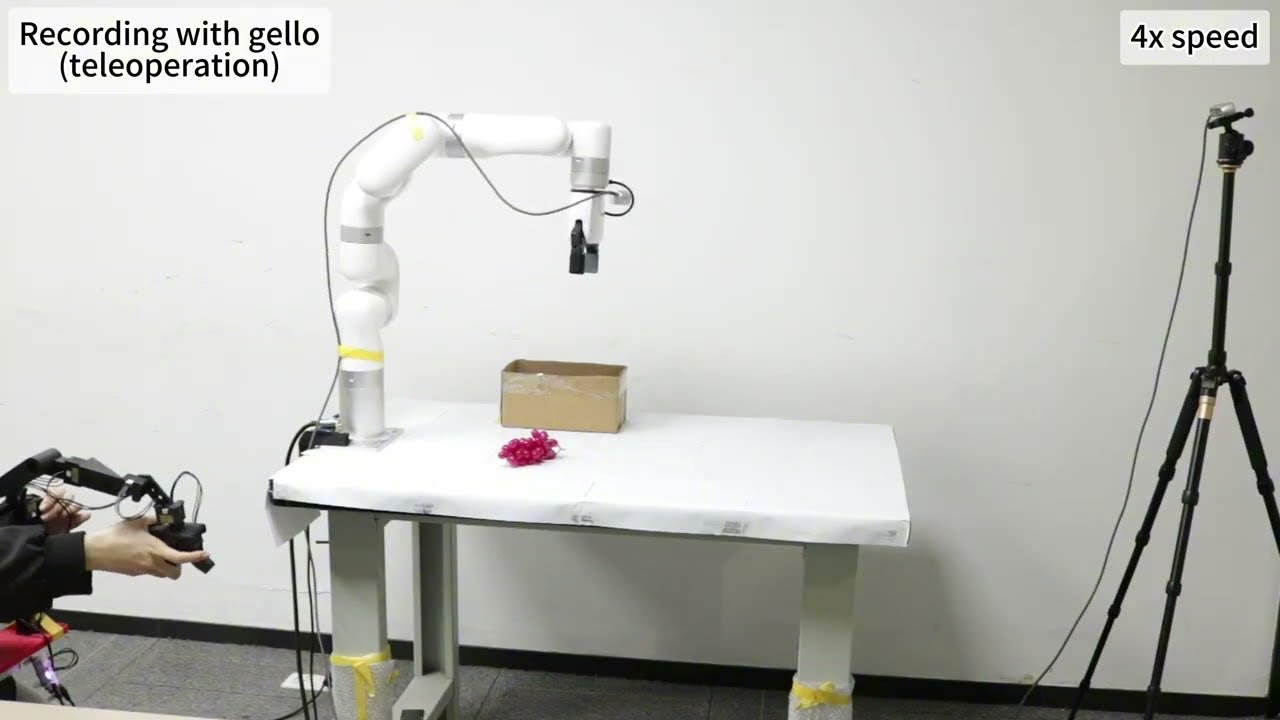
|
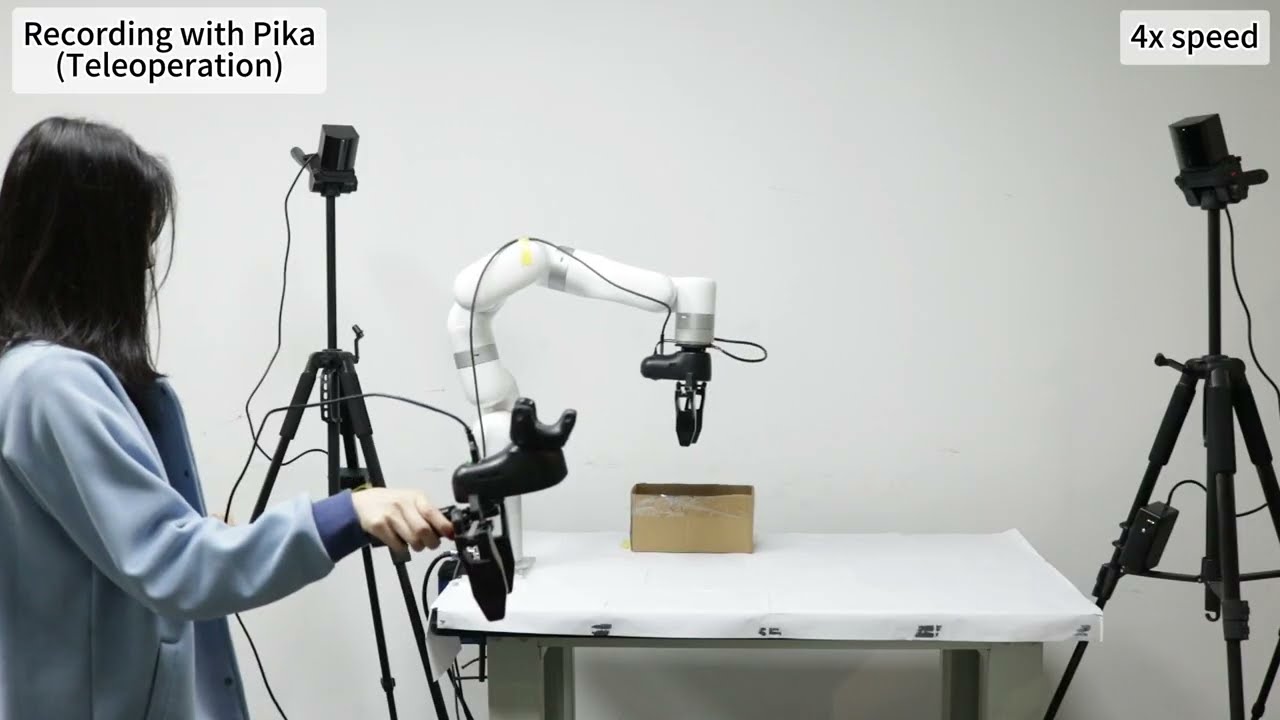
|
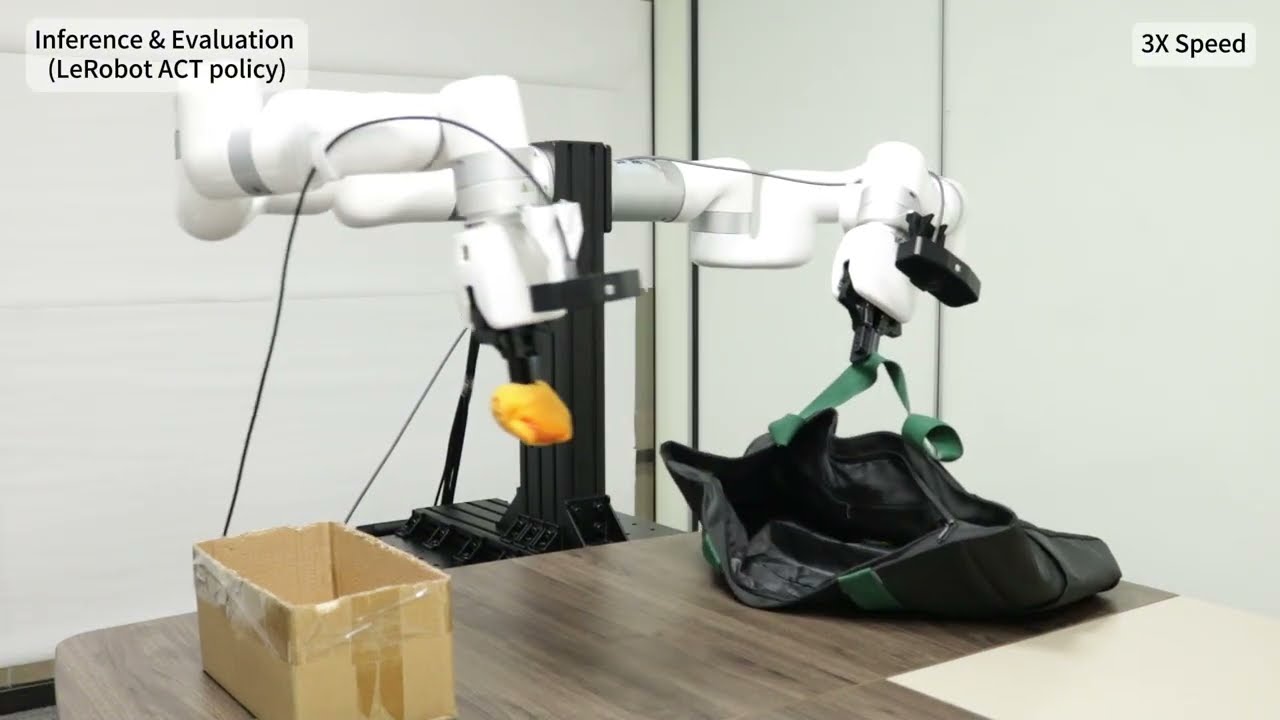
|
- 🤖 UFACTORY robot control (xArm series)
- 🎮 Multiple teleop modes: GELLO / Pika / UMI / SpaceMouse
- 📷 Multi-camera data collection (RealSense / UMI camera)
- 📊 Dataset recording & management (LeRobot-compatible)
- 🧠 Imitation learning training (ACT / Diffusion Policy / etc.)
- 🚀 Policy evaluation & real-time inference
- 🔧 Mock mode (teleop device only, no physical robot needed)
- Ubuntu 22.04 / 24.04
- Python >= 3.10
- CUDA >= 12.0 (recommended for GPU training)
- UFACTORY xArm (optional)
git clone https://github.com/xArm-Developer/lerobot_robot_ufactory.git
cd lerobot_robot_ufactory

# Create conda environment
conda create -n uf_lerobot python=3.10 -y
conda activate uf_lerobot

# Install project
pip install -e .
Includes: lerobot==0.4.3, xarm-python-sdk, numpy, pyyaml. LeRobot already pulls in torch, opencv, wandb, etc.
Peripheral dependencies are available as optional extras via [module] install.
Dynamixel-based leader arm, joint-space control.
- Once data collection starts, the relative position between the robot arm and camera (D435 / D435i) must remain unchanged.
- The camera position during inference must match the collection setup. If the robot arm or camera changes, previously collected data becomes invalid.
# 1. Install GELLO module
pip install -e ".[gello]"

# 2. Add serial port permissions (re-login required)
sudo usermod -aG dialout $USER
Pika Sense handheld + Vive Tracker, Cartesian-space control.
- No requirement for the relative position of the two base stations and the robot arm. Only need to ensure the Pika Sense is within base station range during collection, but base stations must be recalibrated after moving.
- Base station positions for collection and inference do not need to be the same.
# 1. Install peripheral deps (skip transitive deps)
pip install pysurvive agx-pypika --no-deps

# 2. Install udev rules (re-plug devices afterwards)
sudo cp src/rules/*.rules /etc/udev/rules.d/
sudo udevadm control --reload-rules && sudo udevadm trigger
Calibrate Vive Tracker before first use:
uf-vive-calibrate
Universal Manipulation Interface + Vive Tracker, supports dual-arm.
# 1. Install XVSDK (system-level, Ubuntu Focal only)
curl -sL https://raw.githubusercontent.com/xArm-Developer/ufactory_resources/main/fastumi/sdk/XVSDK_focal_amd64.deb -o /tmp/xvsdk.deb && sudo dpkg -i /tmp/xvsdk.deb
sudo apt install -y --fix-broken

# 2. Install peripheral deps
pip install pysurvive --no-deps

# 3. Install udev rules (re-plug devices afterwards)
sudo cp src/rules/*.rules /etc/udev/rules.d/
sudo udevadm control --reload-rules && sudo udevadm trigger
Calibrate Vive Tracker before first use:
uf-vive-calibrate
Multi-UMI device configuration (two or more devices):
# Increase USB buffer size
sudo sed -i '/GRUB_CMDLINE_LINUX_DEFAULT/s/quiet splash/quiet splash usbcore.usbfs_memory_mb=128/' /etc/default/grub
sync
sudo update-grub
sudo reboot3Dconnexion SpaceMouse / SpaceNavigator.
# 1. Install SpaceMouse module
pip install -e ".[spacemouse]"

# 2. Install udev rules (re-plug device afterwards)
sudo cp src/rules/*.rules /etc/udev/rules.d/
sudo udevadm control --reload-rules && sudo udevadm triggerTest teleop-to-robot control loop without recording.
# Generic usage
uf-robot-teleop --config_path path/to/config.yaml
uf-robot-teleop --config_path path/to/config.yaml --fps 60  # specify frequency

# Example: xArm6 + UMI teleop
uf-robot-teleop --config_path config/umi/xarm6_umi_record_config.yamlRecord datasets via teleop.
# Generic usage
uf-lerobot-record --config_path path/to/record_config.yaml
uf-lerobot-record --config_path path/to/config.yaml --resume true        # resume recording

# Example: xArm6 + UMI data collection
uf-lerobot-record --config_path config/umi/xarm6_umi_record_config.yamlTrain imitation learning policies on collected data.
# Generic usage
lerobot-train --policy act --dataset your_dataset_name

# Example: train ACT on xArm6 UMI dataset
lerobot-train --policy act --dataset ufactory/xarm6_umi_datas
Important parameters:
# Note: repo_id is the same as in the record config
# Policy type: ACT, training steps: 800k
# Checkpoints saved every 20k steps, output to lerobot_datas/train (sibling of lerobot directory)
lerobot-train \
  --dataset.root=../../../../lerobot_datas/record/ufactory/xarm6_umi_datas \
  --dataset.repo_id=ufactory/xarm6_umi_datas \
  --policy.type=act \
  --policy.device=cuda \
  --policy.repo_id=ufactory/xarm6_umi_datas \
  --output_dir=../../../../lerobot_datas/train/xarm6_umi_datas \
  --job_name=xarm6_umi_datas \
  --steps=800000 \
  --batch_size=8 \
--save_freq=20000Run inference with a trained policy.
# Generic usage
uf-lerobot-eval --config_path path/to/config.yaml --policy.path your_train_path

# Example: run inference with trained ACT policy
uf-lerobot-eval --config_path config/umi/xarm6_umi_record_config.yaml --policy.path ../../../../lerobot_datas/train/xarm6_umi_datas/checkpoints/last/pretrained_model/View and stitch multiple camera feeds.
uf-camera-view -l                           # list all cameras
uf-camera-view -l -T xvisio                 # list XVisio cameras only
uf-camera-view -T xvisio                    # view XVisio cameras (default 1280x1280 YU12)
uf-camera-view -T xvisio -W 640 -H 1920 -F NV12  # specify format
uf-camera-view -T other # view other camera typesLeRobot provides dataset utilities for inspecting, editing and managing collected datasets.
e.g. view episode index 17:
lerobot-dataset-viz \
  --root=../../../../lerobot_datas/record/ufactory/xarm7_record_datas \
  --repo-id ufactory/xarm7_record_datas \
  --display-compressed-images true \
--episode-index 17e.g. delete episodes 18 and 19:
lerobot-edit-dataset \
  --root=../../../../lerobot_datas/record/ufactory/xarm7_record_datas \
  --repo_id ufactory/xarm7_record_datas \
  --new_repo_id ../xarm7_record_datas_new \
  --operation.type delete_episodes \
--operation.episode_indices "[18, 19]"lerobot-edit-dataset \
--root=../../../../lerobot_datas/record \
--repo_id ufactory/xarm7_record_datas_merge_1_2 \
--operation.type merge \
--operation.repo_ids "['ufactory/xarm7_record_datas_1', 'ufactory/xarm7_record_datas_2']"| Feature | GELLO | Pika | UMI | SpaceMouse |
|---|---|---|---|---|
| Control space | Joint space | Cartesian space | Cartesian space | Cartesian space |
| Tracking | Dynamixel servos | Vive Tracker | UMI SLAM / Vive | 3D mouse |
| Dual-arm | ❌ | ❌ | ✅ | ❌ |
| System dep | dialout group | — | XVSDK deb | — |
lerobot_robot_ufactory/
├── src/
│   ├── lerobot_robot_ufactory/      # LeRobot plugin package
│   │   ├── robots/                 # Robot control
│   │   │   ├── uf_robot/           #   xArm physical robot
│   │   │   ├── uf_mock_robot/      #   Mock robot simulator
│   │   ├── teleoperators/          # Teleop drivers
│   │   │   ├── base_teleop/        #   Shared base class
│   │   │   ├── gello_teleop/       #   GELLO (Dynamixel leader)
│   │   │   ├── pika_teleop/        #   Pika Sense (handheld + Vive)
│   │   │   ├── umi_teleop/         #   UMI (dual-arm support)
│   │   │   └── space_mouse/        #   SpaceMouse (3D mouse)
│   │   ├── cameras/                # Camera modules
│   │   │   └── umi_camera/         #   UMI camera
│   │   ├── devices/                # External device drivers
│   │   │   ├── pika/               #   Pika serial driver
│   │   │   └── umi/                #   XVLib / Vive Tracker
│   │   ├── scripts/                # Entry-point scripts
│   │   │   ├── uf_robot_teleop.py     # Teleop testing
│   │   │   ├── uf_lerobot_record.py   # Data recording
│   │   │   ├── uf_lerobot_eval.py     # Policy evaluation
│   │   │   ├── uf_camera_view.py      # Camera viewer tool
│   │   │   └── vive_calibrate.py      # Vive Tracker calibration
│   │   ├── context.py              # Teleop context registry
│   │   └── utils/                  # Utilities
├── config/                         # YAML config files
│   ├── gello/
│   ├── pika/
│   ├── umi/
│   └── spacemouse/
├── rules/                          # udev device rules
├── pyproject.toml
└── README.md
Users are expected to thoroughly study the codebase and configuration parameters.
The provided configurations are not guaranteed to work for all scenarios and must be adjusted based on actual hardware setups and task requirements.
In particular, for diffusion policies, the default parameters in LeRobot are primarily designed for simulation and are not optimized for real-world robots.
This project is released under the Apache License 2.0. See LICENSE.